
Listen to article
AI search is quickly becoming the front door for discovery. Instead of browsing pages of results, buyers ask ChatGPT, Gemini, or Perplexity and act on the shortlist they get back. That shift changes what “visibility” means for brands.
People often compare GEO vs SEO, but the reality is that GEO isn’t a replacement for SEO. It’s the next layer on top of it: you still need strong search fundamentals like SEO, but now you also need to understand whether AI assistants recommend you when buyers ask questions.
With the value they bring, it’s no secret that the market for AI visibility tracking tools has exploded. If you are comparing vendors, think of these as AI search visibility tools that track whether you show up in AI answers across platforms and prompt types.
Similar to what an AI visibility audit uncovers, tools like these help you measure whether your brand is being mentioned in AI answers, what sources influence those answers, and how your visibility changes as models and search experiences evolve.
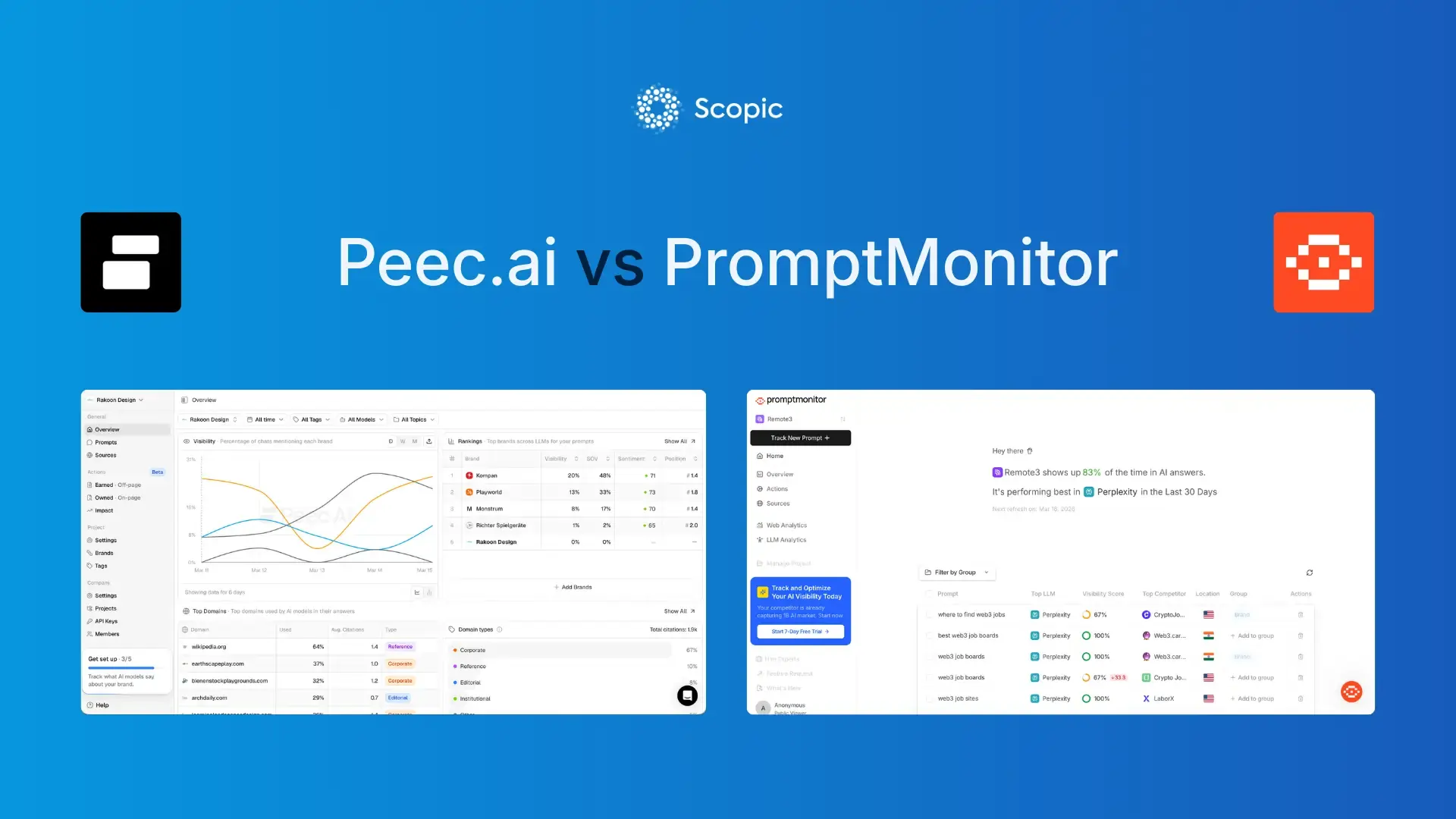
Two of the most talked-about AI visibility tracking tools in this space today are Peec.ai and PromptMonitor, which is why we’re focusing this comparison on how they actually perform in real workflows. We’ll be using our internal evaluation findings plus public product information. At the end, we’ll help you pick the right one based on how your team actually works.
The evaluation framework we trust
Most AI visibility tracking tools can tell you “you were mentioned.” That’s the easy part. The hard part is getting to answers you can act on without fooling yourself with noisy data. Here’s the framework we use when comparing AI visibility tracking tools.
Coverage
Which engines/models are tracked, and is coverage tied to plan level or add-ons? This matters if you specifically need an AI overviews tracker across markets.
Repeatability
Can you lock a prompt set and get clean trendlines? Peec.ai explicitly warns that models have inherent randomness, and you should interpret trends over weeks, not daily spikes.
Entity accuracy
Are you getting true mentions, or false positives? This is where AI brand visibility tools live or die, especially for brands with abbreviations, generic words, or multiple sub-brands.
Actionability
When you see “we’re missing,” does the platform point to sources, content formats, and outreach targets, or does it only tell you a visibility score?
Now, with that lens in place, here’s what you should realistically expect from AI visibility tracking tools.
Comparison Table: Peec.ai vs PromptMonitor
| Category | Peec.ai | PromptMonitor |
| Best for | Reporting-first teams that need competitive clarity, prioritization (Prompt Volume), and strong entity matching controls | Execution-first teams that want “what to do next” (content + outreach) and predictable usage limits |
| Entry plan (public) | $80/mo Starter (50 prompts, 1 project, unlimited users, daily tracking, choose 3 models) | $29/mo Starter (25 prompts, 1 project, 2250 responses/mo, 1 seat, twice a week refresh) |
| Pricing | $80-$420 for brands / $205-$675 for agencies | $29-$129 / Revenue-sharing model for agencies |
| Prompts (common tiers) | 50 / 150 / 350 (Starter / Pro / Advanced) | 25 / 50 / 150 (Starter / Growth / Pro) |
| Projects |
Brands: 1 / 2 / 5 (Starter / Pro / Advanced) Agencies: 3 / 10 / 25 (Essential / Growth / Scale) |
1 / 2 / 5 (Starter / Growth / Pro) |
| Seats | Unlimited | 1 seat on Starter; unlimited seats on Growth/Pro |
| Refresh cadence | Daily | Twice a week on Starter + daily on Growth/Pro |
| LLM / AI coverage highlights |
|
|
| Entity matching controls | Display Name vs Tracked Name, aliases, RegEx, domain mapping | Not documented publicly at the same “aliases/RegEx controls” depth |
| Best built-in “next steps” | Sources + Gap Analysis + Actions with opportunity score | Actions page: “Write Content” + “Build Backlinks” with usage counts |
| Reporting outputs | CSV exports + Looker Studio connector; API access on Enterprise | CSV export + weekly email reports; agency plan + sharing options |
| Agency pitching | Free 7-day pitch projects (Peec.ai pricing update) | “Agency plan” is listed as free to pitch (contact required) |
What to Expect from AI Visibility Tracking Tools
Before we get into which platform is “better,” it helps to define what you are buying. Most teams evaluating generative engine optimization tools are really buying a way to measure AI mentions and citations, then turn those insights into repeatable improvements.
Most AI visibility tracking tools, sometimes called LLM visibility tools, should help you answer 3 questions. If they don’t, you’re buying a dashboard, not a workflow.
Want to see how your brand shows up in AI tools like ChatGPT?
1. Are we mentioned in AI answers for high intent prompts?
This is the core KPI. It’s also the easiest thing to misunderstand. A single mention is not the same as being recommended. A true AI search tracker prioritizes repeatability over novelty, because stable prompts and stable inputs are what make your data comparable week to week.
A good setup looks like this:
- 20-40 prompts that map to your funnel (category, comparisons, “best X,” alternatives, integrations)
- consistent model + location settings (so your trendlines mean something)
If you treat this like a novelty experiment, you’ll get novelty data. If you treat it like measurement, you’ll get a usable baseline.
2. Why are we missing?
When you’re missing, it’s usually 1 of 3 causes:
- entity matching disguised as performance (you were mentioned but not counted, or vice versa)
- source reality (models cite the same domains repeatedly, and you’re not present there)
- format mismatch (models reward certain page types: comparisons, listicles, profiles, and guides, which often require strong on-page SEO tools)
This is where the best AI tools for generative engine optimization earn their keep: they should make it obvious what sources are shaping answers, and what content or outreach work can realistically move visibility like AI SEO agents for content gap analysis.
3. How do we increase visibility?
By checking the right prompts, analyzing the sources where the tools are pulling their recommendations from, you can make a strategy and create an action plan with a goal to improve your visibility. This can include AI content optimization actions like generating content for specific topics, listicles, optimizing your online profile, adding FAQs, acquiring backlinks, and more. Many teams are already scaling this approach, as shown in recent AI content marketing statistics.
Now that you know what you should expect from AI visibility tracking tools, the question is which platform fits your workflow.
Key Takeaways
- Choose Peec.ai if your priority is clean, competitive reporting, prompt volume, and stronger control over entity matching.
- Choose PromptMonitor if you want built-in “do this next” workflows (content + outreach) and care about the “responses” budgeting model.
- Our research flagged visibility discrepancies and entity recognition issues in PromptMonitor, so you should validate critical prompts before using it for competitive narratives.
- Peec.ai appears better suited for competitive benchmarking at the prompt level, while PromptMonitor leans into execution support like opportunities and optimization artifacts.
- If language coverage matters to you, Peec.ai has a major advantage based on our research.
Peec.ai in practice
Peec.ai’s experience is built around competitive clarity. Set prompts. Add brands. Watch visibility, position, and sentiment. Then use sources and gaps to drive action.
For teams that sell strategy (in-house or agency), Peec.ai is one of the few AI visibility tracking tools that documents entity matching controls explicitly and builds reporting around them.

Core workflow (what it actually feels like to use):
- Setup: Prompt-first onboarding (build prompt set, then segment with tags/topics).
- Prompt prioritization: Prompt Volume score (1-5) helps decide what to attack first.
- Competitor tracking: Suggested competitors + manual add, with controls.
- Sources & gaps: Domain and URL-level visibility, plus Gap Analysis to highlight where competitors are present and you’re missing.
- Actions: Opportunity scoring (1-3) to prioritize execution.
- Reporting: Exports + Looker Studio connector; API on Enterprise.
Here are the 3 Peec.ai features most teams underestimate until they’re running weekly.
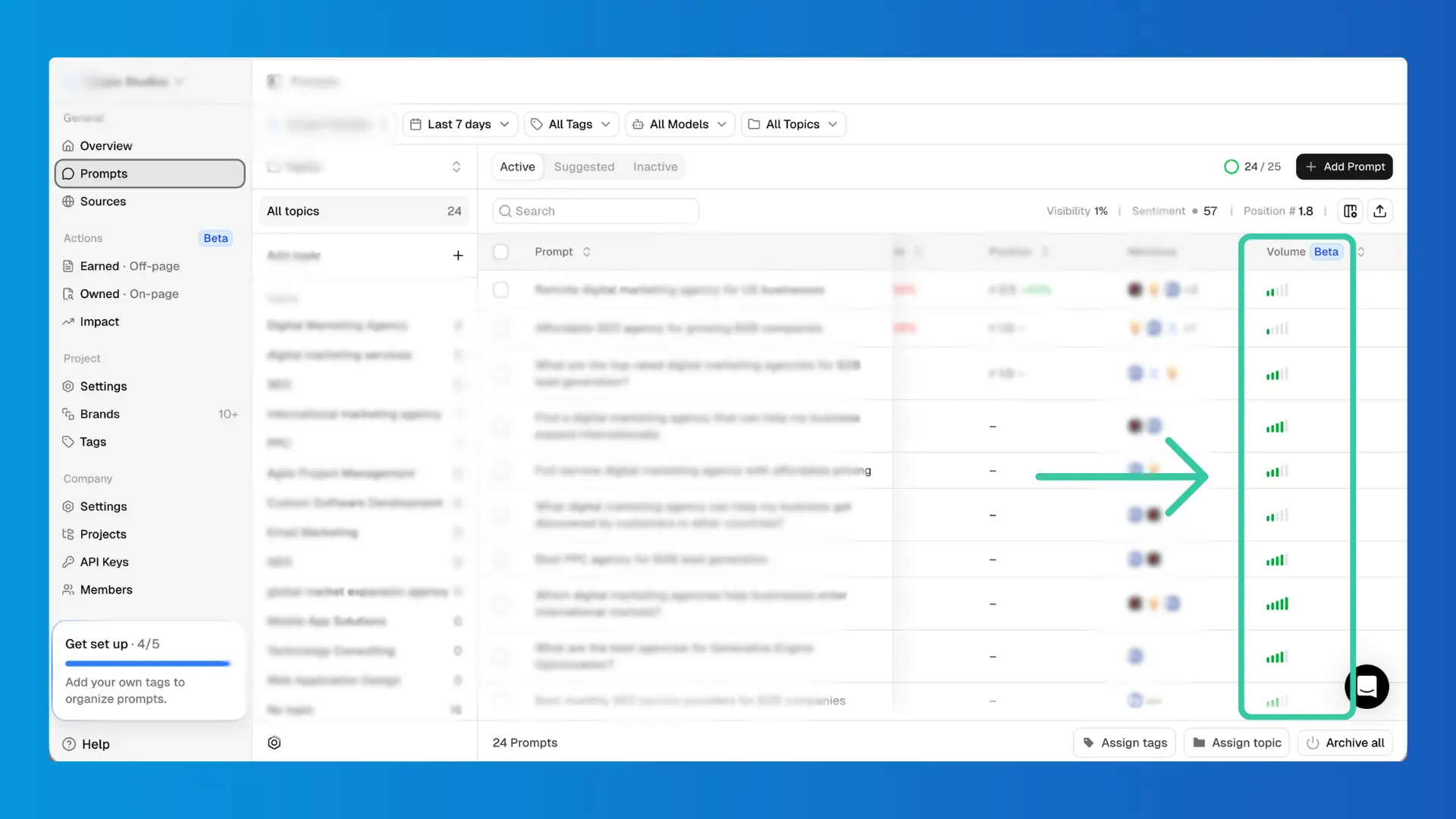
Prompt Volume changes what you work on first
In most workflows, the initial plan is to track “high-impact prompts.” In reality, marketing and GEO teams can often end up tracking prompts that came out of a quick brainstorm session.
Peec.ai’s Prompt Volume score (1-5) is a practical guardrail. It’s not perfect. But it’s directionally useful for prioritization, especially when an agency needs to justify why 20 prompts matter more than 200.
Entity matching controls are built for real-life messiness
Peec.ai distinguishes “Display Name” vs “Tracked Name,” supports aliases, and allows Advanced RegEx. It also uses domains to classify sources as “You” vs “Competitor.”
This matters if your brand name is:
- generic (“Apple”-like problems)
- abbreviated
- commonly misspelled
- part of a parent company structure
Sources and Gap Analysis connect measurement to execution
In Peec.ai, “sources” aren’t an afterthought. You can review domains and URLs, see usage, see citation rate, classify source types, and flip on Gap Analysis to find high-usage sources where competitors are present, and you are not.
Then Actions reduces that mess into an execution queue with a relative opportunity score.
Peec.ai is strong when your baseline need is clear competitive measurement. PromptMonitor comes at the same problem from the opposite angle: turn visibility into a weekly to-do list.
PromptMonitor in practice
PromptMonitor’s workflow is built around speed: track prompts, read prompt analytics, then go straight to Actions and Sources.
It’s one of the more execution-focused AI visibility tracking tools, especially for teams that want content topics and outreach lists without building a separate workflow on top. Additionally, PromptMonitor features Website Analytics and AI Search Bot and Crawler Analytics.

Core workflow (what it actually feels like to use):
- Setup: “Track New Prompt” → run across models and optional locations.
- Prompt analytics: visibility score timeline + presence by LLM + answer examples.
- Actions: content query ideas + backlink/outreach targets.
- Sources: a clean categorization into Opportunity / Mentions You / Your Website.
- Usage management: responses-based budgeting that scales with models × locations.
Here are the 3 main categories where PromptMonitor tends to shine.
Actions is genuinely usable (content + outreach)
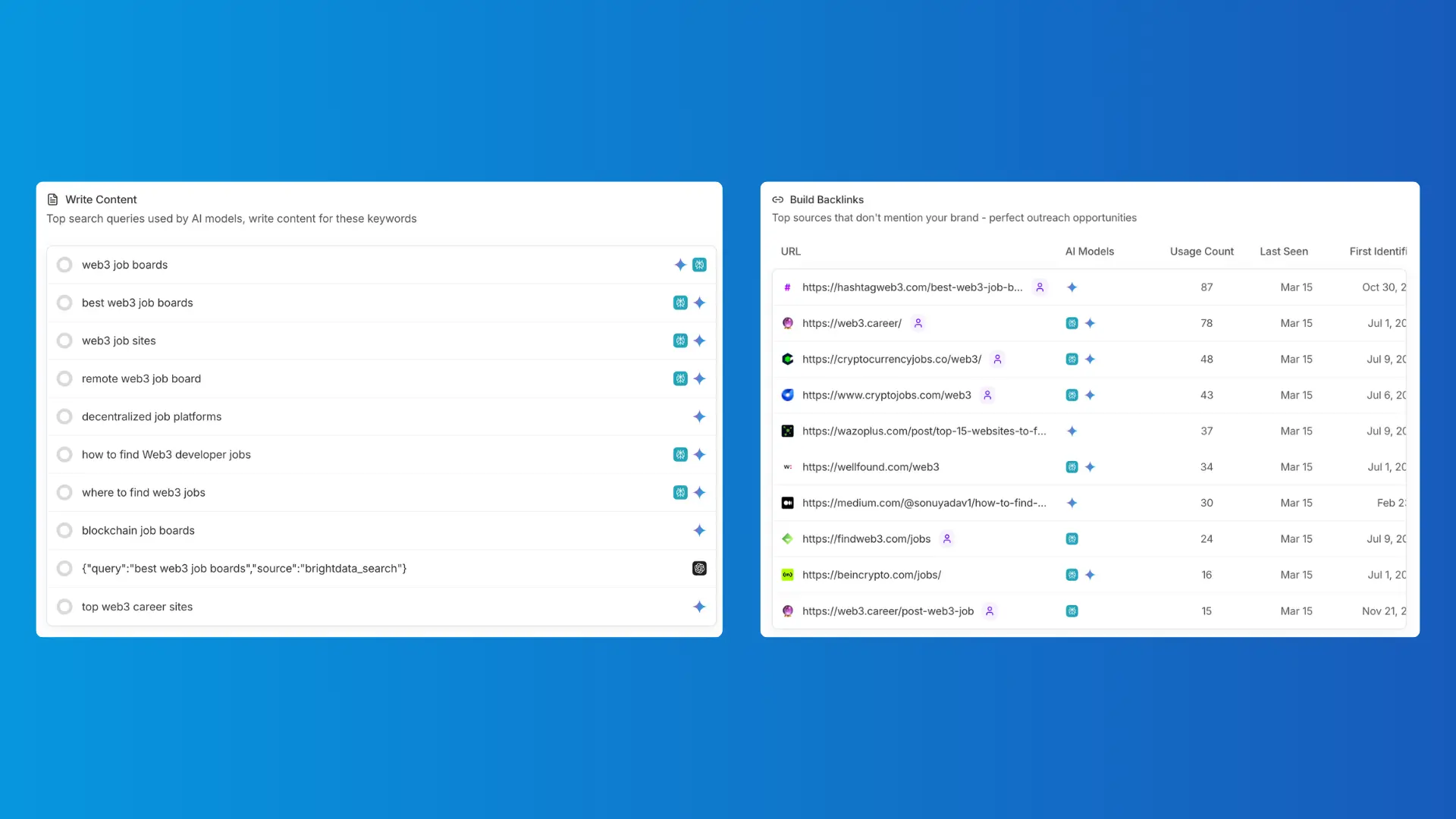
PromptMonitor’s Actions page is split into 2 sections:
- Write Content: top search queries AI models use while researching your prompts
- Build Backlinks: sources AI cites that don’t mention you (high-value outreach targets)
This is one of the clearest “do this next” implementations among AI visibility tracking tools.
Sources are categorized like an operator would categorize them
Opportunity vs Mentions You vs Your Website is not just labeling. It reflects the three real workstreams:
- create content
- earn mentions
- validate your own pages are being pulled in
It’s a small UX decision that saves time every week.
Usage is predictable if you understand “responses”
PromptMonitor’s docs define responses as the unit of consumption. Every model answer costs one response, so models × locations is the true multiplier.
This is why some teams use it as a lightweight ChatGPT tracker (or what people casually call a ChatGPT rank tracker). You can track fewer models to reduce cost and expand coverage when you need it.
Now that you’ve seen what each tool feels like day-to-day, pricing and limits become much easier to interpret. That’s where most tool decisions are won or lost. Let’s talk about them now.
Pricing, limits, seats, and model coverage
When choosing between AI visibility tracking tools, you’re usually looking at constraints rather than features. Let’s compare what you get with each platform and understand whether the price is worth it.
Prompt limits and project limits
Peec.ai’s pricing page shows 50/150/350 prompts across Starter/Pro/Advanced, with 1/2/5 projects, costing $80 / $205 / $420 per month.

PromptMonitor shows 25/50/150 prompts across Starter/Growth/Pro, with 1/2/5 projects, costing $29 / $39 / $129 per month.

Seats and collaboration
Peec.ai has unlimited users on its pricing tiers.
PromptMonitor lists 1 team seat on Starter, unlimited seats on Growth/Pro, and unlimited seats on Agency plan.
This matters for agencies and cross-functional teams. One locked seat will bottleneck execution fast.
Refresh cadence (and one transparency note)
Peec.ai has daily tracking on tiers and daily or weekly on Enterprise.
PromptMonitor has twice a week refreshes for Starter, and daily refreshes for Growth/Pro.
If we were buying this for a client, we’d confirm the live in-app behavior before committing the reporting cadence.
Model coverage and add-ons
Peec.ai supports ChatGPT, AI Mode, AI Overviews, Microsoft Copilot, Perplexity, and Gemini, with Enterprise adding Claude Sonnet 4 and GPT 5 Search. It also sells “Additional Models” as an add-on.
PromptMonitor supports ChatGPT, Claude, Gemini, DeepSeek, Grok, and Perplexity on Starter, adds AI Mode and AI Overview on Pro, and supports tracking all 8 AI Models on the Agency plan.
Tool selection is step one. Step two is making the data trustworthy. Step three is making the workflow repeatable.
Data quality and entity matching checks to run
Here’s the professional rule: never put AI visibility tracking tools into executive reporting until you’ve validated a short list of prompts manually.
- Do this once, then repeat quarterly.
- Pick your top 5-10 revenue prompts.
- Open the actual answers.
- Confirm whether you’re truly mentioned.
- Confirm whether the tool counted it correctly.
Also, don’t confuse “sources” with “citations.” Peec.ai is blunt about the difference: every citation is a source; not every source is a citation. That distinction changes how you prioritize work in AI search optimization.
Final Thoughts
If you’re choosing between these 2 AI visibility tracking tools, don’t overthink it. Match the tool to the operating style you can actually run.
If you need board/client-ready competitive reporting, stronger entity controls, and prioritization signals (Prompt Volume), Peec.ai is usually the cleaner fit.
If you need an execution engine (content topics, outreach lists, and predictable “responses” budgeting), PromptMonitor is usually the better fit.
Either way, the principle is the same: stable prompt sets, clean entity checks, and a weekly cadence that turns insights into shipping work. That’s what makes AI visibility tracking tools worth paying for and turns them into a real engine for AI search optimization over time.
While tools like Peec.ai and PromptMonitor help you track visibility, most companies struggle with what to do next. That’s where strategy comes in. Get in touch for a free AI visibility audit by Scopic Studios.
About Peec.ai vs PromptMonitor: AI Visibility Tracking Tools Comparison Guide
This guide was authored by Angel Poghosyan, and reviewed by Deniz Aray, Marketing Project Manager at Scopic.
Scopic Studios delivers exceptional and engaging content rooted in our expertise across marketing and creative services. Our team of talented writers and digital experts excel in transforming intricate concepts into captivating narratives tailored for diverse industries. We’re passionate about crafting content that not only resonates but also drives value across all digital platforms.