
The Visual Web: Why Image SEO Matters Now
Visual search has become a primary discovery channel. Search engines now analyze images beyond basic metadata—evaluating composition, objects, context, and alignment with user intent. This means images are ranking signals in their own right, not decorative elements. For sites competing in traditional SERPs, image carousels, Google Discover, and AI-generated overviews, optimized visuals directly impact click-through rates and organic traffic.
Despite this shift, most sites still treat image optimization as an afterthought. Poorly optimized images slow page load times, harm Core Web Vitals, and reduce dwell time—all factors that influence rankings. Content with images receives substantially more views than text-only pages, yet the gap between best practice and typical implementation remains wide.
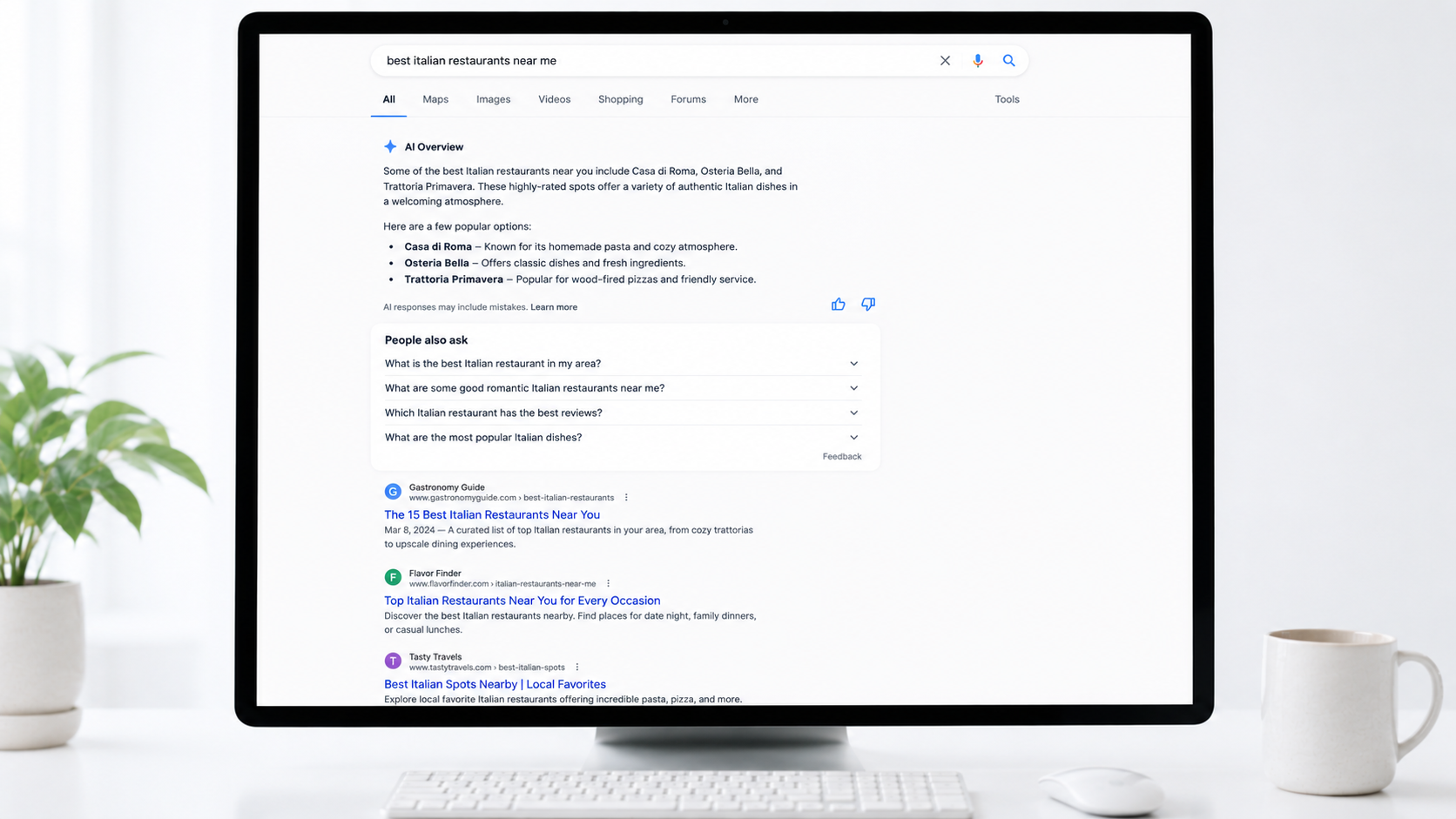
Image SEO now directly influences how generative AI interprets and surfaces content. Search engines use visual ranking signals—relevance, quality, and contextual fit—to determine which images appear in AI overviews and rich results. Proper optimization ensures images display correctly across platforms, from social media previews to structured data-enhanced search results.
Key insight: Image optimization is infrastructure for modern search. It improves readability, keeps users engaged longer, aligns visual content with keyword strategy, meets accessibility standards, supports mobile-first indexing, and helps search engines understand what your content is about.
Naming and Describing Images: File Names and Alt Text
Image file names and alt text are two distinct but complementary elements of image SEO. File names are part of the image URL and set once—changing them later breaks links. Alt text is HTML that describes images and can be changed anytime without affecting URLs.
File Names for Search
Google breaks down image URLs into individual words (e.g., blue-ceramic-coffee-mug.jpg becomes blue, ceramic, coffee, mug) and uses them as ranking signals.
Best practices for file names:
- Use descriptive, specific words that accurately describe the image content
- Separate words with hyphens, not underscores or spaces
- Keep names lowercase
- Front-load important keywords naturally
- Keep names concise at 3–5 words
- Make each filename unique but related when using multiple images on a page
Avoid generic camera names, keyword stuffing, irrelevant names like header-image-1.jpg, and leaving stock photo filenames unchanged. A practical formula: Service/Product + Keyword + Location + Variation (e.g., digital-marketing-training-dubai-classroom.webp).
Alt Text Best Practices
Alt text should accurately describe what’s in the image and its purpose, considering the page context.
Write effective alt text by:
- Being descriptive and specific, not vague or generic
- Adding context related to the page topic
- Keeping it under 125 characters for screen reader compatibility
- Using keywords sparingly and naturally—never stuffing
- Avoiding phrases like “picture of…” or “image of…”
- Using empty alt text (
alt="") for purely decorative images
For functional images like buttons, describe their action (e.g., “Search button”). For complex images like graphs, convey essential information and data. For images of text, transcribe the text exactly.
Key insight: File names and alt text work together to help search engines understand image content, improve accessibility, and drive organic traffic from image search results. Both are indexable signals.
Image Formats and Compression: Balancing Quality and Performance
The choice between JPG, PNG, and WebP defines how your images affect page speed and search performance.
Format comparison:
- JPG: Lossy compression, efficient for photographs and complex images, universal browser compatibility, larger files
- PNG: Lossless compression, preserves quality, supports transparency, ideal for logos and UI elements, significantly larger files
- WebP: Combines lossy and lossless compression, supports transparency and animation, delivers smaller files than JPG and PNG at comparable quality, supported by over 97% of users across Chrome, Firefox, Edge, Safari, and Opera.
Images often account for 50% or more of a webpage’s total size, directly impacting load speed—a confirmed Google ranking factor. For older browsers, implement the <picture> element to serve WebP as primary with JPG or PNG fallbacks.
Compression Strategy
Effective compression balances visual quality with file size. For WebP conversion, 80–85% quality typically produces files visually indistinguishable from the original while maintaining maximum size reduction. Resize images to their maximum display width before compression: 1200px for hero images, 900px for content images. This prevents uploading oversized originals that bloat page weight unnecessarily.
The goal is natural quality at the size users actually view, not theoretical maximum quality. Common mistakes include using PNG for large photos, uploading unresized camera images, and over-compressing to the point of visible artifacts. For e-commerce and product images, target the 100–250 KB range and test performance on mobile connections.
Faster pages resulting from optimized images improve Core Web Vitals—particularly Largest Contentful Paint (LCP)—which directly influence search rankings. Use WebP for most website images, PNG for transparent elements where WebP isn’t feasible, and JPG as a compatibility fallback or for high-quality photos where needed.
Performance Optimization: Lazy Loading, Responsive Images, and Core Web Vitals
Image optimization directly influences Core Web Vitals, which Google uses for ranking. Two techniques are essential: lazy loading and responsive images.
Lazy Loading
Lazy loading defers the loading of images until users actually need them—typically as they scroll toward those elements. This reduces initial bandwidth consumption, accelerates page load times, and improves Largest Contentful Paint (LCP) and Interaction to Next Paint (INP) by prioritizing above-the-fold content and reducing the browser’s initial processing load.
The safest approach is the native HTML loading="lazy" attribute, which Google explicitly supports. For more advanced control—such as triggering loads at specific viewport distances—use the IntersectionObserver API rather than scroll-based JavaScript. Server-side rendering with lazy loading is more SEO-friendly than client-side rendering because the full HTML is delivered upfront, even if some assets load later.
Critical rule: Never lazy-load above-the-fold images or critical content. Googlebot does not scroll, so scroll-triggered content may not be indexed. Always ensure that essential content loads in the initial HTML. Test your implementation using Google Search Console’s URL Inspection Tool and PageSpeed Insights to confirm that lazy-loaded elements are crawlable.
Responsive Images
Implement responsive images using the srcset attribute to serve different sizes for mobile, tablet, and desktop. Include width and height attributes on all images to prevent layout shift and optimize Core Web Vitals. This prevents the browser from requesting oversized images for small screens and reduces unnecessary bandwidth consumption.
Structured Data for Images: ImageObject Schema
Structured data, specifically ImageObject schema markup, helps search engines understand the context, purpose, and relationship of images to your surrounding content. Without it, crawlers rely solely on file names and alt text—structured data closes that gap.
Implementing ImageObject Schema
ImageObject is the foundation schema type for describing images. Google prefers JSON-LD format, placed in a <script> tag within your page’s <head> section.
Essential properties include:
url(the image file location)widthandheight(in pixels)caption(descriptive text)
Advanced properties add depth: creator, datePublished, license, acquireLicensePage, and representativeOfPage signal authority and licensing clarity. These details feed visual search features like Google Lens and the Visual Knowledge Graph.
Nesting and Context
ImageObject gains power when nested within other schema types—Product, Article, or Recipe schemas, for example. This nesting tells search engines how the image relates to the page’s primary entity, improving your eligibility for rich results in SERPs.
Validation
Use Google Rich Results Test and Schema Markup Validator to catch errors before deployment. Common mistakes include invalid JSON-LD syntax, improper nesting, missing required properties (especially width and height), relative URLs instead of absolute ones, and inaccessible image files.
Key insight: When executed correctly, ImageObject schema enhances SERP presence, improves crawling efficiency, and positions your images higher in Google Image Search.
Optimizing for Emerging Discovery Channels: AI Overviews and Google Discover
AI Overview Image Optimization
Google AI Overviews now appear for a significant portion of search queries, fundamentally changing how users discover content. Image optimization plays a direct role in this shift. Pages with multi-modal content—images, videos, and infographics—paired with descriptive alt text and structured captions earn significantly more citations in AI-generated responses than text-only pages.
Traditional SEO remains the foundation. Nearly all AI Overview citations come from pages already ranking on Google’s first page, meaning your images must first meet core optimization standards: proper alt text, descriptive filenames, compression, and structured data. Beyond that, AI systems favor content with clear entity relationships and attribute-rich schema markup, including Article, HowTo, and FAQ schemas.
Content freshness matters. Front-load your most relevant images and supporting text early in the article structure. Use schema.org markup to specify large, high-resolution images that AI systems can confidently extract and display alongside synthesized answers.
Google Discover and Visual Search
Google Discover operates differently from keyword-driven search. Content appears based on user interests and Web Activity, not query intent. No special tags are required—if Google indexes your page and it meets content policies, it’s eligible. However, image quality directly influences whether your content surfaces.
Use images at least 1200 pixels wide with high resolution, ideally in a 16:9 aspect ratio. Enable max-image-preview:large in your robots meta tag, and specify preview images using schema.org markup or the og:image meta tag. Avoid generic stock photos or text-heavy graphics; Discover prioritizes visually compelling, contextually relevant imagery.
Discover traffic is less predictable than search and should be treated as supplemental. Monitor results through the Performance report for Discover in Search Console, which tracks impressions, clicks, and CTR.
Implementation Workflow: From Preparation to Deployment
Pre-Upload Preparation
Start with image ideation: choose relevant, reinforcing visuals that support your content. Avoid obvious stock photos—original images and custom graphs perform better. Before uploading, resize images to match your container width (maximum 1920px). Don’t upload a 4000px image if your content area displays 800px.
Select the right format: WebP or AVIF for most use cases, JPEG for photographs, PNG for logos or graphics requiring transparency.
Rename files descriptively before upload. Use relevant keywords, maximum five words, separated by hyphens. For example: red-leather-sofa.webp instead of IMG_88201.jpg.
Compression and File Size
Compress images to reduce file size by up to 70% while maintaining visual quality. Target under 100 KB for standard images; hero images can extend to 200 KB. Use lossy compression for most business websites—it reduces file size significantly with minimal perceptible quality loss. Tools like ImageOptim or Kraken.io handle this efficiently.
On-Page Implementation
Add descriptive alt text under 125 characters, placing your primary keyword at the beginning. Write naturally—no keyword stuffing.
Implement responsive images using the srcset attribute to serve different sizes for mobile, tablet, and desktop. Include width and height attributes on all images to prevent layout shift.
Enable lazy loading for images below the fold, but ensure your top hero image loads immediately.
Post-Upload Optimization
Place images strategically near relevant text. For blog posts, position relevant images every 300 words. Add image schema markup for recipe, product, or video content to earn image badges in Google Images. Include images in your XML sitemap and implement Open Graph meta tags for social sharing.
Host images on a CDN like Cloudflare or AWS CloudFront to serve files from geographically distributed servers. Enable browser caching through plugins or server configuration. Monitor Core Web Vitals regularly using PageSpeed Insights—images heavily impact LCP and CLS metrics.
Building a Sustainable Image SEO Strategy
Image optimization failures typically stem from missing processes rather than lack of expertise. A SEO sustainable strategy requires integrating image optimization into your build system, making it automatic and consistent across every deployment. This means defining clear rules for format strategy, size and resolution standards, compression thresholds, and metadata handling before images reach production.
Core Components of a Robust Workflow
Start by prioritizing images that affect Largest Contentful Paint (LCP), as these directly influence Core Web Vitals and search rankings. Convert images to AVIF or WebP formats with appropriate fallbacks, and generate responsive sizes using srcset and sizes attributes to serve appropriately sized images based on device pixel ratio and layout.
Automate compression for predictable CPU usage and quality, and implement lazy loading for images outside the initial viewport to save bandwidth. Use the <picture> element for greater flexibility in specifying multiple image candidates with fallbacks for browser compatibility. Serve images based on the Accept request header to deliver optimal formats without extra HTML bytes.
Standardize Early to Avoid Rework
Standardizing image handling early prevents rework and performance issues later. A defined pipeline ensures predictable, SEO-safe compression and influences image sizing best practices, AI-ready optimization, accessibility, and user experience.
Key insight: Image optimization becomes sustainable when it’s built into your development process, not bolted on afterward. Tools should support workflows, not replace them—automation only works when the underlying process is sound.
Scopic Studios delivers exceptional and engaging content rooted in our expertise across marketing and creative services. Our team of talented writers and digital experts excel in transforming intricate concepts into captivating narratives tailored for diverse industries. We’re passionate about crafting content that not only resonates but also drives value across all digital platforms.